
How Inventory Management Software Helps Small Businesses Prevent Stock Shortages
A customer asks for a product you sell every week, and the shelf is empty. You did not know, because the last stock count was ten days ago. The customer buys from the shop next door, and sometimes does not come back.
Most stock shortages in small shops are not bad luck. They happen because nobody could see the numbers in time. With inventory management software that keeps billing and stock in one place, every sale reduces the count automatically, and the system warns you before an item runs out.
What Is Inventory Management Software?
Inventory management software is a program that records how much stock a shop has, updates the count whenever stock is sold, returned or received, and alerts the owner when an item is running low. It replaces the stock register, the memory of the oldest staff member and the Excel sheet that is always a few days behind.
The same idea is called by many names: stock management software, inventory tracking software, inventory control software or a stock management system. For a small retail shop, they mean the same thing: knowing what you have, without counting it by hand.
How It Prevents Stock Shortages
Software cannot order stock for you from a supplier who is out of goods. What it does is remove the delay between “stock is finishing” and “the owner knows”. Here is how.
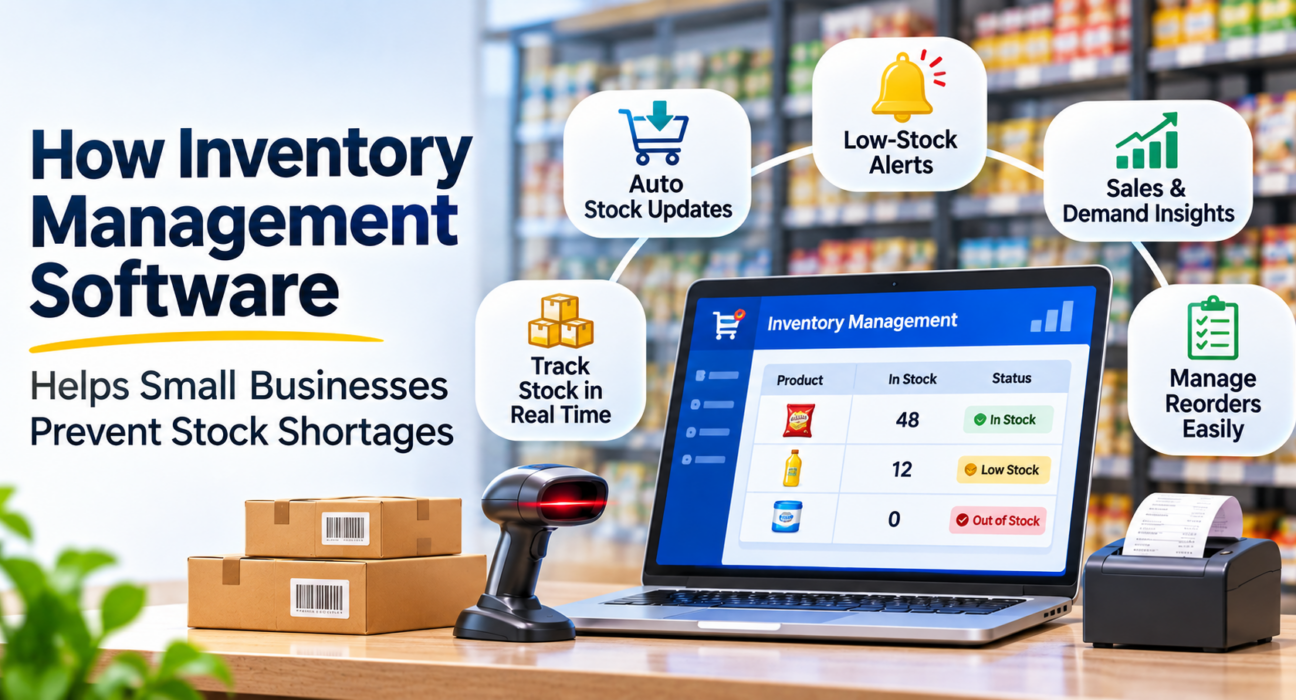
- Every sale updates the count. When the cashier scans an item, the stock for that item reduces by one. Nobody has to write anything down.
- Returns and exchanges add stock back. The count stays correct even when customers return goods.
- Deliveries are recorded when they arrive. The new quantity is added the same day, so the system and the shelf agree.
- Low-stock alerts warn you early. You set a warning level for each item. When stock falls to that level, you are alerted while there is still time to reorder.
- Sales history shows what moves fast. Best-seller reports show which items need the most attention, and which ones sit unsold.
This is what people mean by real-time inventory tracking: the number you see is the number after the last bill, not the number from last week.
Why Shops Run Out of Stock
Before choosing software, it helps to know the usual causes. Most shortages come from one of these:
- Late reordering. The owner notices only when the shelf is empty.
- Wrong reorder quantity. Too little is ordered for a fast-moving item, too much for a slow one.
- Unrecorded stock changes. Breakage, wastage, samples and home use are never written down, so the register shows more stock than exists.
- Delivery mistakes. A supplier sends fewer units than billed and nobody checks.
- Dependence on one person. Only one staff member knows what is running low.
- Stock spread over several stores. One outlet has surplus while another has none.
Software addresses most of these because it replaces guesswork with a number you can check.
A Simple Way to Set a Reorder Level
A low-stock alert is only useful if the warning level is sensible. A common method used in retail is:
Reorder level = average daily sales × supplier delivery days + a small safety buffer
Hypothetical example: A grocery shop sells about 12 packets of a particular atta brand each day. The supplier takes 3 days to deliver. The owner keeps a safety buffer of 10 packets.
12 × 3 + 10 = 46 packets.
When stock falls to 46, the owner orders. Stock lasts until the delivery arrives, even if sales are slightly higher than usual.
Review these levels every month or two. Festival season, weather and new competitors can all change how fast an item sells.
Notebook, Excel or Software: A Quick Comparison
| Method | Stock updates | Low-stock warning | Main weakness |
|---|---|---|---|
| Notebook or stock register | Manual, after the fact | Only if someone checks | Mistakes and delays |
| Excel sheet | Manual entry | Only with extra formulas | Always behind the shelf |
| Inventory management software connected to billing | Automatic on every sale | Built-in alerts | Needs one-time setup and discipline |
A notebook is not wrong for a very small shop with a few dozen items. It becomes a problem when the item count grows, when more than one person bills, or when you cannot be at the shop all day. If you are wondering whether billing software alone is enough, this comparison of POS software and billing software explains the difference.
How Different Shops Use Stock Tracking
These are general examples of how the idea works in different kinds of shops.
Grocery and supermarkets. Fast-moving items such as rice, oil, milk and biscuits need tight reorder levels. A daily glance at the low-stock list is often enough. See how this looks for a grocery store.
Fruit and vegetable shops. Loose goods sold by weight need a scale that feeds the weight into the bill, so the stock reduces by the correct quantity.
Clothing and footwear. Stock is by size and colour, so a shop can look full while a popular size is gone. Tracking each variant separately shows which sizes to reorder.
Hardware and paint shops. Thousands of small items, many sold in different pack sizes, make memory unreliable. Barcode labels on shelves and a stock list that updates itself save a great deal of searching. Here is how it looks for a hardware store.
Multi-outlet retail. Stock is tracked per store, so you can see which outlet is short and which has extra.
Some trades also need to track batch numbers, expiry dates or serial numbers. Check whether any software you consider supports these before you commit.
What to Look For in Inventory Management Software
For a small shop, these matter more than a long feature list:
- Stock linked to billing, so counts update by themselves.
- Low-stock alerts with a warning level you can set per item.
- Easy supplier delivery entry, so new stock is added in a minute.
- Stock adjustments with a reason, such as damage or count correction, kept in a history.
- Barcode support, for fast and accurate scanning and labels.
- Bulk import from Excel, so you do not retype your product list.
- Reports on best sellers and slow movers.
- Offline working, so a power or internet failure does not stop billing or stock updates.
- Staff controls, so only trusted people can change stock.
- Per-store stock, if you have or plan more than one outlet.
How AvenuePOS Helps With Stock
AvenuePOS is POS billing software for retail shops, where inventory is part of the billing system rather than a separate tool. Based on the features listed on the AvenuePOS website, it offers:
- Stock counts that update after every sale and return, per item and per store
- Low-stock alerts with your own warning level
- Supplier deliveries recorded with the cost you paid
- Stock corrections with a reason, kept in the history
- Barcode labels, your own generated barcodes, and support for weighing-scale labels
- Excel import for your product list
- Best-seller and slow-mover reports, downloadable to Excel
- Offline billing and stock updates that sync automatically when the internet returns
- Separate counters and stores, with stock kept per store
AvenuePOS runs in a browser on a computer, tablet or phone, and offers a 14-day free trial with no card needed. You can start a free trial to test it with your own products. Features and plan limits can change, so check the website for current details.
How to Get Started: A Practical Plan
- Clean your product list. Remove duplicates and fix item names before loading anything.
- Count your stock once, properly. This opening count becomes the base for every later number.
- Set reorder levels for your top 20 to 30 fastest-selling items first. Add the rest later.
- Label items with barcodes, or generate your own for loose and unbranded goods.
- Train staff on one rule: every sale and every delivery goes through the system. Stock written elsewhere will not be counted.
- Check the low-stock list every morning for the first month.
- Do small spot counts every week to confirm the system matches the shelf.
If your shop is already running, this guide to implementing POS software in an existing store covers the changeover step by step.
Common Mistakes to Avoid
- Skipping the opening count. Wrong starting numbers mean wrong numbers forever.
- Billing items outside the system. Any sale or removal that is not recorded breaks the count.
- Setting one reorder level for everything. Fast and slow items need different levels.
- Ignoring alerts. An alert nobody reads protects nothing.
- Never checking physical stock. Theft, damage and counting errors still happen. Software makes them visible, but someone must look.
- Overstocking to be safe. Too much stock ties up cash and can lead to expired or unsold goods.
Limitations to Understand
Inventory software is a tool, not a guarantee. It cannot fix a slow supplier, stop theft by itself or predict a sudden rise in demand. Its numbers are only as good as the data entered. What it does well is show problems early, so you can act while there is still time.
Frequently Asked Questions
What is the best inventory management software for a small business?
The best one is the one your staff will actually use every day. Look for stock linked to billing, low-stock alerts, easy delivery entry, barcode support and offline working. Test it with your own products during a free trial before paying.
How does inventory management software prevent stock shortages?
It reduces stock automatically with every sale, adds stock when deliveries arrive, and alerts you when an item reaches the reorder level you set. This gives you time to order before the shelf is empty.
Can a small shop manage stock in Excel instead?
For a very small range, yes. But Excel needs manual entry, has no automatic alerts, and is usually behind the real shelf. As items, staff or stores increase, errors multiply.
What is real-time inventory tracking?
It means the stock count changes the moment a sale, return or delivery is recorded, instead of at the end of the day or week. You always see the current number.
What is a reorder level?
A reorder level is the stock quantity at which you place a new order. A common way to estimate it is average daily sales multiplied by supplier delivery days, plus a safety buffer.
Is inventory software different from POS software?
Not always. Many POS systems include inventory, which keeps billing and stock in sync. Standalone inventory tools also exist, but they usually need a separate step to record sales.
Does inventory software work without internet?
Some does and some does not. Ask this before buying. AvenuePOS supports offline billing, returns and stock updates, and syncs when the connection returns.
How long does it take to set up?
Setup time depends on how many products you have and how clean your list is. Importing from Excel and doing an opening stock count are the main tasks. Plan a day or two to do the count properly.
Conclusion
Stock shortages are rarely a surprise to the numbers, only to the owner who could not see them. When every sale, return and delivery updates the count, and alerts arrive before shelves empty, reordering becomes a routine task rather than an emergency.
Start small: clean your list, count once, set levels for your top items and check the alerts daily. If you are still comparing options, this guide on choosing the right stock management system gives you questions to ask and a simple test to run before you decide.