
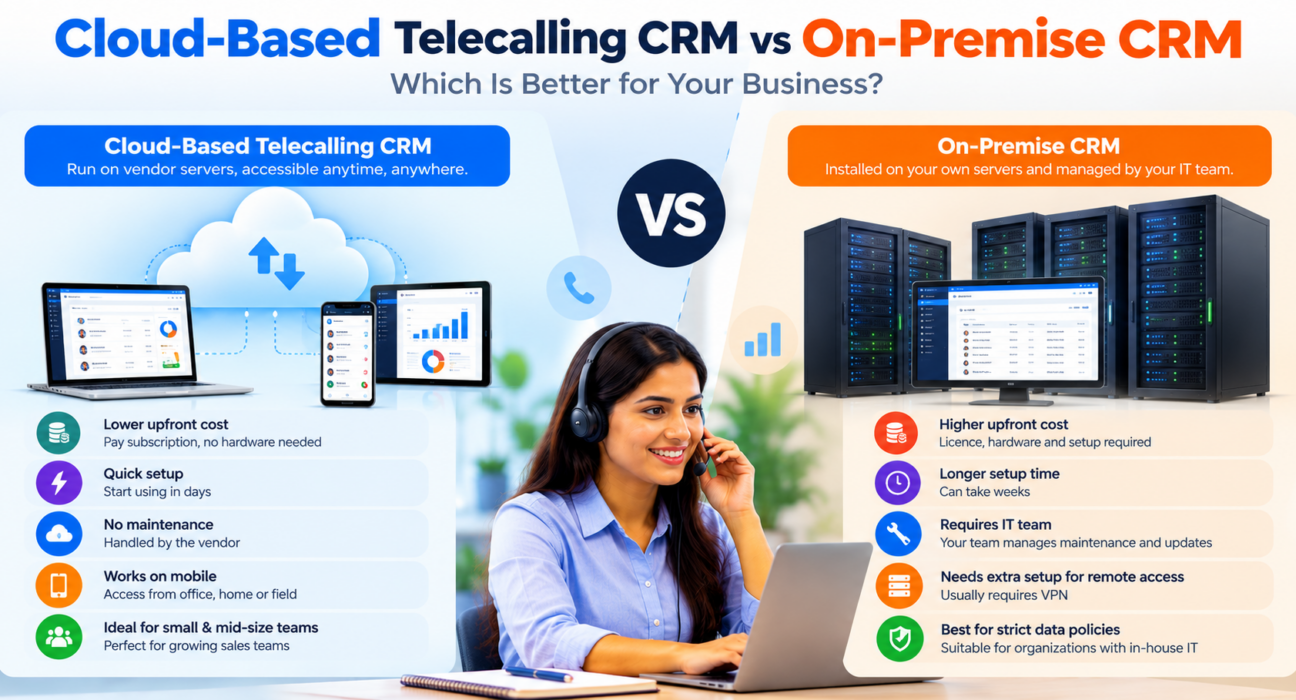
Cloud-Based Telecalling CRM vs On-Premise CRM: Which Is Better?
Cloud-based telecalling CRM and on-premise CRM solve the same problem in different ways. Both keep your leads, calls and follow-ups in one system, but they differ in where the software runs and who looks after it. For most small and mid-size Indian sales teams, the cloud option is easier to start with, though some teams have good reasons to keep data on their own servers.
This guide compares the two on cost, setup, maintenance, security, access and compliance. If you want a reference point, a calling CRM sold as a subscription shows what the cloud model looks like in practice.
Disclosure: this blog is published by TeleCalling CRM, which is a subscription product. We have tried to keep the comparison fair, and on-premise is the better choice in some situations.
What Is a Cloud-Based Telecalling CRM?
A cloud-based telecalling CRM is software hosted by the vendor on internet servers, which your team uses through a browser or mobile app. The vendor manages hosting, updates and backups, and you pay a subscription. It usually includes a dialer, lead management, follow-up reminders, call logs and reports.
Agents can log in from the office, home or field. There is nothing to install on your own servers.
Cloud-Based Telecalling CRM vs On-Premise: The Short Answer
For most small and mid-size teams, a cloud-based telecalling CRM is the better fit because it starts faster, costs less upfront, works on mobile and needs no IT team. On-premise suits organisations that must keep all data on their own servers and have the IT staff to maintain them.
What Is an On-Premise CRM?
An on-premise CRM is installed on servers that your business owns or rents and controls. You buy or license the software, set up the hardware, and your IT team handles security, backups, upgrades and fixes.
This gives maximum control. It also means higher upfront cost, longer setup and a continuing need for technical staff.
Cloud vs On-Premise: Side-by-Side Comparison
| Area | Cloud-based | On-premise |
|---|---|---|
| Where it runs | Vendor’s servers | Your own servers |
| Upfront cost | Low, usually a subscription | High: licence, hardware, setup |
| Ongoing cost | Recurring subscription | IT staff, maintenance, upgrades |
| Setup time | Often quick | Usually longer |
| Maintenance | Handled by the vendor | Handled by your IT team |
| Updates | Usually automatic | Scheduled and managed by you |
| Mobile and remote access | Usually built in | Needs extra setup, such as VPN |
| Data control | Shared with the vendor | Full control |
| Customisation | Within the vendor’s options | Can be deeper, with more effort |
| Best for | Small and mid-size teams, remote or field teams | Strict data policies, strong in-house IT |
Key Differences Explained
Cost and pricing
Cloud pricing is spread over months, so the entry cost is low. Some vendors charge per user, while others charge a flat price per plan, so compare both. On-premise needs money upfront for licences and servers, plus staff time later. Over many years, the totals can come closer than they first appear, so calculate the full cost for your team.
Setup speed
A cloud tool can often be set up as soon as you import your leads and add agents. On-premise setup involves servers, installation, testing and sometimes network changes, which can take weeks.
Maintenance and updates
With the cloud, the vendor patches and upgrades the system. With on-premise, your IT team must do it. Missed updates can leave on-premise systems exposed or outdated.
Remote and mobile access
Telecalling teams often work from phones or from home. A cloud tool usually supports this directly through a mobile app. On-premise setups need secure remote access, which adds work and risk.
Security and data control
Neither model is automatically safer. A well-run cloud vendor may protect data better than a small business’s own server, while an unmanaged on-premise server can be a weak point.
What matters is how data is handled:
- Encryption of stored data and recordings
- Role-based access, so agents see only what they should
- Backups and recovery
- Where the data is stored
- A clear contract on data handling
India’s Digital Personal Data Protection Act, 2023 puts duties on businesses that decide how personal data is processed. The Rules were notified in November 2025 with an 18-month phased timeline, as the Press Information Bureau explains. Check with a legal adviser about what applies to your business. Calling also remains subject to TRAI’s Telecom Commercial Communications Customer Preference Regulations, 2018.
Customisation and integrations
On-premise software can be customised deeply, but it requires developers. Cloud tools offer ready-made integrations with ad platforms, portals and messaging, though you work within the vendor’s options. Check that your exact lead sources are supported before choosing.
Benefits of a Cloud-Based Telecalling CRM
- Quick start: import leads, add agents and begin.
- Lower upfront cost: no servers or licences to buy.
- Automatic updates: new features arrive without your IT team.
- Mobile and remote access: agents can work from phones, home or the field.
- Easy scaling: adding agents is usually a plan change, not a hardware project.
- Ready integrations: lead sources and messaging tools connect faster.
- Less IT dependence: useful for teams without technical staff.
Limitations of a Cloud-Based Telecalling CRM
- Internet dependence: a poor connection slows the work.
- Recurring cost: subscriptions continue as long as you use the tool.
- Less control: you rely on the vendor’s roadmap, uptime and support.
- Vendor lock-in: check that you can export your data if you leave.
- Data location questions: ask where the data is stored and how it is protected.
- Limited deep customisation: you work within the platform’s options.
When On-Premise Is the Better Choice
On-premise may suit you if:
- Your policy or regulator requires data to remain on your own infrastructure
- You already have a capable IT team and servers
- You need deep custom workflows tied to internal systems
- Your connectivity is limited or unreliable
Hypothetical example: a large financial institution with strict internal data rules and its own IT department may prefer on-premise. A 10-agent real estate team with no IT staff will probably do better with the cloud.
Cloud-Based Telecalling CRM vs Cloud Telephony: Do Not Mix Them Up
These terms sound similar but mean different things.
- Cloud-based CRM describes where the software is hosted.
- Cloud telephony describes how calls are routed, for example through virtual numbers, IVR or call routing.
- SIM-based calling means agents call from their own phones, and the app logs the calls.
You can use a cloud-hosted CRM with SIM-based calling, or with cloud telephony, depending on the product. Ask each vendor how calls are made and logged, so the two do not get confused during the demo.
Questions to Ask Before Choosing a Cloud-Based Telecalling CRM
- Where is data stored, and who can access it?
- How are recordings encrypted, and who can listen to them?
- How often is data backed up, and how fast can it be restored?
- What uptime and support commitments exist?
- Can I export all my data if I leave?
- How are calls made and logged: SIM-based or cloud telephony?
- What costs extra beyond the plan price?
- Can I run a trial with my own leads and devices?
For a full buying process, see our selection checklist.
How TeleCalling CRM Fits
Based on its website, TeleCalling CRM is sold as monthly subscription plans with an Android and iOS app. It lists:
- A smart auto dialer with call duration capture and one-tap outcome logging
- Lead import, de-duplication, DNC checks and rule-based assignment
- Follow-up scheduling with reminders and overdue alerts
- Encrypted call recording with agent and admin access levels and retention controls
- AI call analysis, a sales pipeline, reports and a live war room
- 12+ lead-source integrations, including Facebook and Instagram Lead Ads, Google Ads, 99acres, MagicBricks and JustDial
Per its pricing page, Basic is ₹999 per month for up to 5 users and Pro is ₹1,599 per month for up to 10 users, excluding GST. The website also mentions a 3-day free trial. Review the features page against your needs. The website does not publish every hosting detail, such as data location, backup schedule and uptime terms, so ask the team directly. If you need inbound call routing or IVR, those are not listed, so confirm first. Larger teams can also read our call centre CRM guide.
FAQs
Is a cloud-based telecalling CRM secure?
It can be, depending on the vendor’s practices. Look for encryption, role-based access, backups and a clear data-handling policy. Ask questions before buying, because security is not guaranteed by the cloud model itself.
How much does a cloud-based telecalling CRM cost?
Pricing varies. Some vendors charge per user per month and others charge a flat plan price. Add GST, add-ons and training to get the real yearly cost. TeleCalling CRM plans start at ₹999 per month, excluding GST.
Can a cloud-based telecalling CRM work for remote agents?
Yes, this is one of its main strengths. Agents can log in from home or the field using a mobile app or browser, and managers can see activity centrally.
Does a cloud-based telecalling CRM need internet all the time?
Mostly yes, since the data is stored online. Ask the vendor how the mobile app behaves when the connection drops, and test it on your agents’ phones.
Is on-premise CRM better for data privacy?
Not automatically. On-premise gives you more control, but you also take on the responsibility for security, backups and compliance. Privacy depends on how well the system is managed.
Which is better for a small business, cloud or on-premise?
Cloud is usually better for small businesses because of lower upfront cost, faster setup and no need for IT staff. On-premise makes sense only when you have specific data rules and the technical team to support it.
Can I move from on-premise to a cloud CRM later?
Usually yes. Export your leads and history as CSV or Excel, clean them and import them into the new tool. Test the import with a sample file first, and check how duplicates are handled.
Conclusion
A cloud-based telecalling CRM suits most small and mid-size teams that want a fast start, mobile access and lower upfront cost. On-premise makes sense when data must stay on your own servers and you have the IT capacity to run it.
Whichever you choose, ask clear questions about data, backups and exports, and test with your own leads. If you want to try the cloud route, you can review the monthly plans and free trial and run your own checklist.