
In most large enterprises, HR departments spend significant time answering routine questions and processing simple requests that employees could handle themselves. What’s my current PTO balance? Can I update my home address? Where do I find my pay stubs? How do I change my tax withholding? These questions arrive by email, phone, and walk-ups throughout the day, consuming HR staff capacity that could be spent on work requiring actual expertise.
The volume compounds at scale. In an organization with 5,000 employees, even if only 10 percent have a routine question or request each week, that’s 500 interactions that HR needs to handle. Most take only a few minutes individually, but collectively they consume hours of staff time daily. Multiply that across a year, and you’re talking about multiple full-time positions dedicated to answering questions and processing requests that don’t require HR expertise.
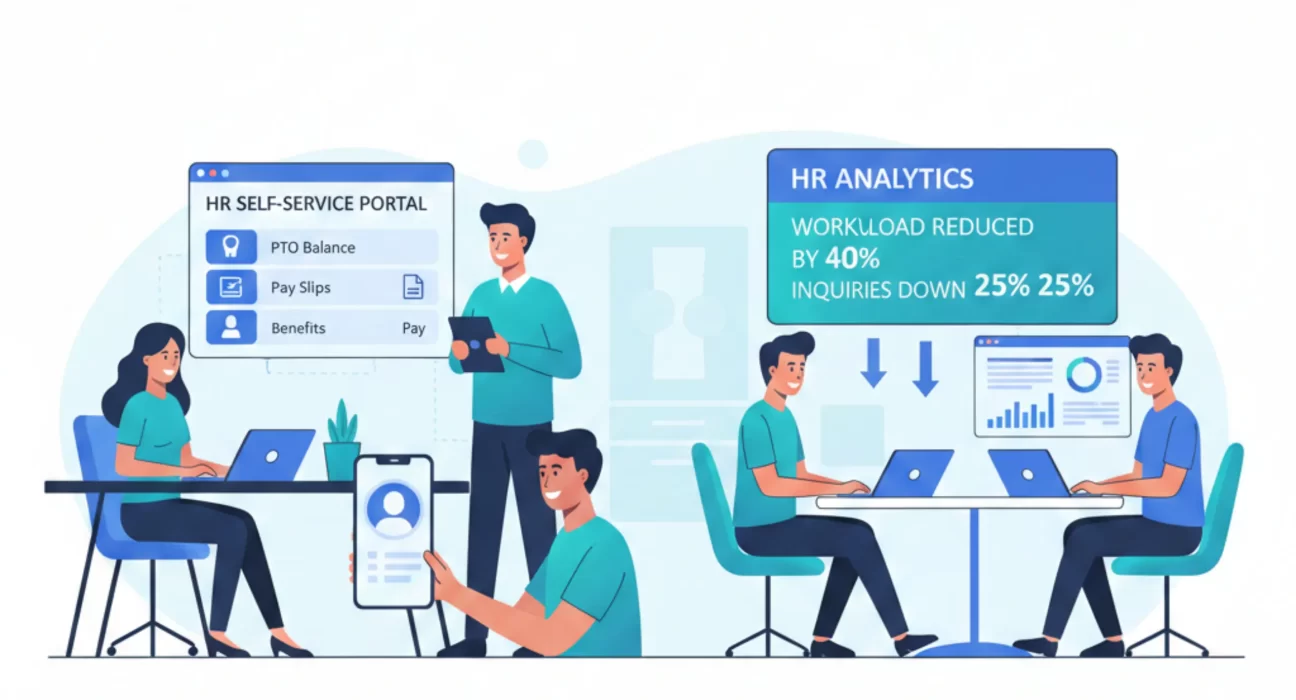
Employee self-service portals address this by giving employees direct access to their own HR information and the ability to complete routine transactions without HR involvement. View pay stubs, update personal information, request time off, enroll in benefits, access tax documents, and download employment verification letters. These capabilities exist in modern HRIS platforms, but implementing them effectively requires more than just turning on features.
The challenge is building a self-service that employees actually use and trust instead of continuing to contact HR for everything. Many enterprises deploy self-service portals that see limited adoption because they’re difficult to navigate, don’t include information employees need, or create more friction than traditional methods. The portal exists, but doesn’t reduce HR workload meaningfully.
What Self-Service Should Accomplish
Effective employee self-service delivers three outcomes: immediate access to information employees need, the ability to complete routine transactions without assistance, and reduced HR transactional workload.
Information access means employees can view their employment data whenever they need it without requesting it from HR. Current salary and compensation history, PTO balances and usage, benefits elections, performance review results, training completions, and organizational reporting structure. This information exists in your HRIS already. Self-service makes it directly accessible.
The value isn’t just convenience. It’s eliminating wait time and back-and-forth. When an employee needs to know their PTO balance to plan a vacation, they can check immediately rather than emailing HR and waiting hours or days for a response. When they need a pay stub for a loan application, they can download it instantly rather than submitting a request.
Transaction capability lets employees initiate and complete processes that currently require HR involvement. Update address or emergency contact information. Change tax withholding elections. Request time off. Enroll dependents in benefits during life events. Download tax forms. Generate employment verification letters. Each transaction that employees can complete themselves is one fewer request consuming HR staff time.
Workload reduction happens when adoption is high enough that HR sees measurably fewer routine inquiries and requests. The goal isn’t just deployment. It’s shifting employee behavior so they try self-service first instead of defaulting to contacting HR. This requires self-service that’s genuinely easier than traditional methods and works reliably enough that employees trust it.
The Information Employees Actually Need
Self-service portals should prioritize the information employees access most frequently. Analytics from HR inquiry volume show what matters to your workforce.
Compensation information tops most lists. Current salary, bonus history, equity grants, commission statements. Employees want to see their total compensation picture and verify that pay matches expectations. Self-service should display this clearly with historical context so employees understand their compensation progression.
Time off data generates constant inquiries. Current PTO balance, accrual rate, usage history, pending requests, approval status. Employees planning time off need accurate balance information. Managers approving requests need to see team availability. The self-service portal should make this information current and clear.
Benefits information becomes critical during enrollment and when life events occur. Current elections, coverage details, dependent information, premium costs, provider networks, and claim status. Benefits are complex, and employees have questions. Self-service can’t eliminate all questions, but it can provide the factual information that answers many of them.
Pay documentation is required for various purposes. Pay stubs for loan applications, W-2 forms for tax filing,and year-to-date earnings for financial planning. Employees need this documentation on their timeline, not HR’s processing schedule. Self-service provides immediate access without HR involvement.
Organizational information helps employees understand reporting structures and find colleagues. Who is my manager? Who are my peers? What’s the broader organizational structure? The company directory with contact information and org charts should be easily accessible.
Performance and development data belong in self-service for employees who want to review past feedback, track goal progress, or access development plans. Historical performance reviews, current objectives, completed training, and evelopment plans. This information supports employee development and career planning.
Transactions That Should Be Self-Service
Not every HR transaction belongs in self-service, but many routine ones do. The distinction is whether the transaction requires HR expertise and judgment versus just following defined rules.
Personal information updates are ideal self-service candidates. Address changes, phone numbers, emergency contacts, and marital status. These don’t require HR review. Employees know their current information and can update it directly. The system should validate data format, but doesn’t need HR approval for most personal updates.
Tax withholding changes follow federal and state forms that employees complete. Self-service can present the same W-4 form that employees would fill out manually and submit to HR. The system captures the information, applies it to payroll, and stores the completed form. No HR involvement is needed.
Time off requests follow defined policies about accrual, blackout periods, and approval workflows. Self-service should let employees check their balance, see the company calendar for blackouts, submit requests, and track approval status. The system routes to appropriate approvers and updates balances automatically when approved.
Benefits enrollment during open enrollment or life events can be largely self-serve. Employees review options, compare plans, make elections, and add or remove dependents. The portal should present decision support tools and required documentation clearly. HR involvement shifts from data entry to answering complex questions.
Document access for pay stubs, tax forms, benefit summaries, and policies should be complete self-service. Employees log in, navigate to documents, and download what they need. No HR processing is required.
Employment verification for mortgages, loans, or background checks can be automated. Self-service generates standardized verification letters with employment dates, job title, and salary if requested. For more detailed verifications, the system can route requests to HR, but simple verifications should be instant.
The pattern is clear: if it’s factual information following defined rules without requiring judgment, it belongs in self-service. If it requires interpretation, policy decisions, or handling sensitive situations, it needs HR involvement.
Mobile Access and User Experience
Self-service adoption depends heavily on user experience. If the portal is clunky, slow, or difficult to navigate, employees will continue contacting HR because it’s easier.
Mobile access is essential because employees want to handle personal business on their own time, often from personal devices. Checking PTO balance while planning a trip. Updating address after moving. Downloading a pay stub during a loan application. These activities happen outside work hours. The self-service portal needs to work well on phones and tablets, not just desktop computers.
Intuitive navigation means employees can find what they need without training or help documentation. Common tasks should be obvious and accessible from the home screen. Search should work and return relevant results. The organizational logic should match how employees think about tasks, not how HR categorizes processes.
Clear language without HR jargon helps employees understand options and complete tasks correctly. Instead of modifying federal tax withholding elections, say change tax withholding. Instead of submitting a leave request per company policy, say Request time off. Write for employees, not HR professionals.
Responsive performance matters because slow systems frustrate users. Pages should load quickly, transactions should process without long waits, and the mobile experience should be smooth. Performance problems drive employees back to calling or emailing HR because it feels faster.
Help resources within the portal support employees who get stuck. Contextual help explains options without leaving the page. FAQs address common questions. Chat or contact options provide escalation when self-service isn’t sufficient. The key is making help available without requiring employees to leave the portal and contact HR through other channels.
Security and Privacy Considerations
Self-service expands access to sensitive personal information, requiring proper security controls.
Authentication needs to be strong enough to protect sensitive data. Username and password alone is insufficient for a portal containing salary, social security numbers, and health information. Multi-factor authentication should be required, or at a minimum available as an option.
Session management controls how long portal sessions remain active and what happens when they timeout. Aggressive timeouts improve security but frustrate users. Reasonable timeouts of 30 to 60 minutes balance security and usability. Sessions should definitely timeout when browsers close or devices lock.
Privacy controls let employees see their own information but not others’. This seems obvious, but implementation requires careful configuration. Test thoroughly that employees can only access their own records, not colleagues’ data, through URL manipulation or other techniques.
Sensitive information access might require additional verification for particularly sensitive data. Viewing salary history, downloading W-2 forms with full social security number, or accessing medical information could require re-authentication even within an active session.
Audit logging tracks who accessed what information when. This supports security investigations and compliance requirements. Employees should be able to see a log of their own portal activity, which provides transparency and helps detect unauthorized access to their accounts.
Connection security requires that all portal access uses encryption. Employee personal information transmitted over unencrypted connections is unacceptable. This applies equally to desktop and mobile access.
Driving Adoption and Sustaining Use
Building the portal is necessary but insufficient. Employees need to know it exists, understand its capabilities, and develop the habit of using it instead of contacting HR.
Launch communication should explain what’s available, how to access it, and why employees should use it. Email campaigns, manager talking points, posters in common areas, and demonstrations during team meetings. The message is that self-service is faster and more convenient than traditional methods, not just a new requirement.
Training isn’t formal classroom instruction but guided exposure to key features. Short video demonstrations, quick reference guides, and interactive tours when employees first log in. Show employees how to accomplish the five or six most common tasks they’ll need.
Manager engagement matters because managers influence team behavior. If managers encourage their teams to use self-service and model that behavior themselves, adoption increases. If managers tell their teams to just email HR, adoption suffers. Manager buy-in affects results.
HR behavior change is equally important. When employees contact HR with questions that self-service answers, guide them to the portal rather than just answering. You can see your PTO balance in the self-service portal. Let me walk you through accessing it.” This gentle redirection teaches employees while handling the immediate need.
Continuous improvement based on usage data and feedback makes the portal more valuable over time. What features are used most? Where do employees get stuck? What do they try to do that isn’t available? This data informs enhancements that increase adoption.
Integration With Core HR Processes
Self-service isn’t a standalone system. It’s a front end to your HRIS that needs to integrate properly with core processes.
Real-time data ensures that the information employees see in self-service is current. PTO balances should reflect recent usage. Personal information updates should apply immediately to all systems. Time-off requests should route to the current manager even if reporting relationships have just changed. Batch updates overnight create confusion when employees see outdated information.
Workflow integration means that transactions initiated in self-service flow properly through approval and processing steps. Time-off requests route to managers for approval. Benefits changes trigger verification of required documentation. Personal information updates that affect payroll flow to payroll processing. The self-service portal triggers these workflows rather than requiring HR to manually process each transaction.
Validation rules prevent errors at data entry. Format checking for phone numbers and addresses. Policy enforcement for time-off requests during blackouts. Dependent eligibility verification during benefits enrollment. Good validation reduces processing errors and rework.
Notification management keeps employees informed of transaction status. Confirmation that the request was received. Notification when the manager approves or denies. Alert when action is needed to complete the transaction. These notifications reduce inquiries to HR about status.
How Ozrit Implements Employee Self-Service
Ozrit’s approach to self-service implementation starts with an analysis of your current HR inquiry volume and transaction patterns. What questions do employees ask most frequently? What transactions consume the most HR staff time? This analysis identifies which self-service capabilities will have the biggest impact on workload reduction.
The design phase defines what information and transactions belong in self-service, how navigation should work, what mobile experience is needed, and how to integrate with existing processes. This design is informed by employee needs, not just HR preferences.
A senior program manager owns the implementation from design through launch and adoption. The typical implementation team includes four to six people: user experience designers who create intuitive interfaces, HRIS configuration specialists who build the portal capabilities, integration developers who connect to related systems, and change management consultants who drive adoption.
Realistic timelines for comprehensive self-service implementations run eight to twelve weeks from kickoff to launch. This includes design, configuration, integration, testing, content development, training material creation, and launch preparation. Organizations with particularly complex integration needs or extensive content migration might require longer.
The implementation includes training for HR staff on how to guide employees to self-service and when to escalate issues that can’t be handled through the portal. This training ensures HR supports adoption rather than continuing to handle requests manually.
Ozrit provides ongoing support after launch because self-service capabilities need refinement based on actual usage patterns. This includes regular reviews of usage analytics, gathering employee feedback, implementing enhancements, and optimizing based on how employees actually use the portal versus how designers expected them to use it.
The goal is sustained workload reduction that frees HR staff to focus on work requiring expertise rather than handling routine inquiries and transactions. This requires proper design, solid implementation, effective change management, and continuous improvement based on usage data.
The Business Case Beyond Workload Reduction
Self-service delivers value beyond reducing HR staff workload, though that alone often justifies the investment.
Employee satisfaction improves when people can get information and complete transactions on their schedule without waiting for HR’s response. This particularly matters for remote workers and employees in different time zones who can’t easily reach HR during business hours.
Process speed increases when employees can initiate and complete transactions immediately rather than submitting requests and waiting for processing. This affects time off approvals, personal information updates, and document access.
Data accuracy improves when employees update their own information rather than conveying it to HR staff who then enter it. Eliminating the intermediary reduces transcription errors.
Compliance support comes from complete audit trails of what employees accessed and when, plus employee acknowledgment of policies and documents through the portal.
Your employee self-service portal reflects how much you trust your workforce with their own information and how seriously you take employee experience. Organizations with strong self-service demonstrate that they respect employees’ time and prefer giving them direct access rather than forcing them through HR intermediaries for routine matters. That trust and respect show up in engagement and retention over time.