
Best Real Estate CRM for Telecalling Teams in India
A property enquiry comes in from 99acres at 11:42 AM. If your telecaller reaches that buyer by 11:50, the odds of a real conversation are high. If the call happens the next morning instead, the buyer has usually already spoken to two other builders or brokers.
This is the daily reality for real estate telecalling teams in India. Leads arrive from many sources at once. The team that calls fastest and follows up most consistently tends to win the site visit. A real estate CRM built around calling, not just record-keeping, makes that speed possible.
This guide explains what a real estate CRM needs to do for a telecalling team, the mistakes that slow teams down, and how to evaluate options with a clear head.
What Is a Real Estate CRM for Telecalling Teams?
A real estate CRM for telecalling teams combines lead capture, an auto dialer, call tracking, and follow-up management in one system. It matches how property sales actually happen: through repeated phone conversations, not one-time forms.
A generic CRM adapts to real estate after the fact. A telecalling-first CRM puts the phone call at the centre of the workflow instead. Leads flow in from portals and ads, the system assigns them to an agent, and that agent can call, log, and follow up without switching between five different tools.
Why Real Estate Sales Depend on Telecalling
Property buying in India rarely happens in a single click. A buyer researching a 2 BHK in a specific locality typically talks to multiple sales teams before booking a site visit, and often before deciding anything at all.
This makes the sales process almost entirely conversation-driven:
- Buyers enquire on multiple portals (99acres, Housing, MagicBricks) and social ads at the same time
- The first team to call back with the right property fit usually wins the first site visit
- Agents need to confirm budget, configuration, and possession timeline on a call, not a form
- Most deals need three to eight follow-up calls before a site visit even gets scheduled
- Negotiation depends heavily on trust that agents build over repeated calls
When telecalling drives the sale, the CRM needs to handle high call volume. A support-ticket system adapted for calling simply won’t keep up.
The Real Problem: Leads Arrive Fast, Teams Respond Slow
Most real estate teams don’t lose deals because they lack leads. They lose deals because of what happens after the lead arrives.
Common breakdowns include:
- Duplicate leads. The same buyer enquires on 99acres and again on a Facebook ad, and two agents call them separately, creating a bad first impression.
- Delayed first contact. Leads sit in a spreadsheet or inbox for hours before anyone calls.
- Lost follow-ups. A buyer says “call me next week” and nobody does, because there’s no reminder system.
- No visibility for managers. Sales heads can’t tell which agent is actually calling and which one is idle.
- Manual dialing. Agents spend more time dialing numbers than talking to buyers.
A CRM built for telecalling fixes each of these problems directly. It doesn’t leave them to manual discipline.
What a Real Estate Telecalling CRM Should Actually Do
1. Pull Leads from Every Source Automatically
Real estate leads come from 99acres, Housing.com, MagicBricks, JustDial, Sulekha, Facebook and Instagram ads, Google Ads, and the builder’s own website — often on the same day, for the same project.
The CRM should connect to these sources directly. That way, leads land in one pipeline instead of scattering across email, WhatsApp, and portal dashboards. Automatic de-duplication matters here — without it, the system can count one buyer as three separate leads, wasting agent time and annoying the buyer.
2. Dial Without Manual Effort
An auto dialer moves an agent from one assigned lead to the next without them having to look up and dial numbers by hand. For a team making 80–150 calls a day per agent, this alone changes how many buyers actually get reached.
Do Not Call (DNC) list checks should run automatically in the background. This way, agents never accidentally call a number that’s opted out, and the business stays clear of compliance complaints.
3. Capture Real Estate-Specific Details on Every Call
A generic “notes” field isn’t enough for property sales. The system should let agents log the details that actually drive a real estate decision:
| Field | Why It Matters |
|---|---|
| Budget | Filters which properties are even relevant |
| Property type (Flat / Plot / Villa) | Narrows down inventory to show |
| Configuration (1/2/3 BHK) | Matches buyer need to unit availability |
| Preferred location | Determines which project to pitch |
| Possession timeline | Separates ready-to-move buyers from long-term planners |
| Loan required | Flags who needs financing support early |
| Lead source | Shows which channel is converting best |
Capturing this on the call — not after — keeps the data accurate and saves the agent from re-asking the buyer later.
4. Track a Pipeline That Matches Real Estate, Not Generic Sales
A real estate deal doesn’t move like a typical B2B sale. It usually follows a pattern closer to:
New Enquiry → Contacted → Site Visit Scheduled → Site Visit Done → Negotiation → Booked → Closed / Lost
A CRM with these stages built in — with a deal value attached at each step — gives a sales manager an honest read of the pipeline: how much is sitting at “Site Visit Done” waiting on a decision, and how much is stuck early because nobody followed up.
5. Make Sure Follow-Ups Actually Happen
In real estate, the sale rarely closes on the first or even third call. If a buyer says “call me after Diwali,” someone actually needs to call after Diwali. Reminder-based follow-up scheduling, with overdue alerts, keeps leads from going cold simply because someone forgot.
6. Give Managers Real-Time Visibility
A sales head managing 10–25 telecallers needs to know who’s on a call, who’s idle, and which agent is converting best — without asking. A live dashboard or “war room” view removes the guesswork from running a calling floor.
7. Let Agents Work from a Phone
Field agents and site-visit coordinators aren’t always at a desk. A mobile app that lets them call, log outcomes, and check follow-ups from an Android or iOS phone keeps the pipeline updated even when someone is at a project site instead of the office.
Common Mistakes Real Estate Teams Make When Choosing a CRM
- Picking a CRM built for a different industry. Tools made for SaaS or B2B sales often skip real estate fields like configuration, possession timeline, or site-visit stages, so teams end up hacking around it with custom fields.
- Ignoring integrations with property portals. If agents have to manually download and upload leads from 99acres or Housing.com, the CRM loses its speed advantage before anyone even picks up the phone.
- Underestimating training time. A CRM with a complicated interface slows down telecallers instead of speeding them up. Simplicity matters more than a long feature list.
- Not checking for DNC and compliance handling. Manual DNC checks are error-prone and can lead to complaints; this should be automatic.
- Choosing based on price alone, without checking if every plan includes every feature. Some CRMs lock the auto dialer or analytics behind higher tiers, which changes the real cost significantly.
How TeleCallingCRM Supports Real Estate Telecalling Teams
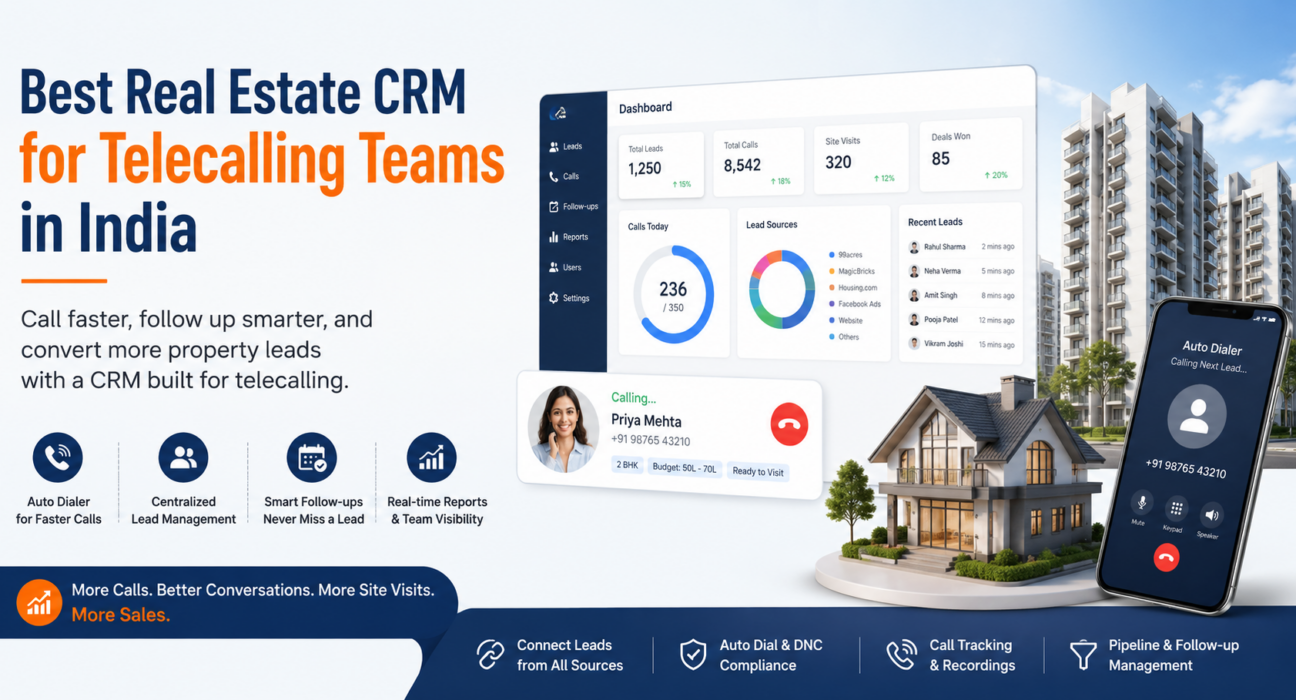
TeleCallingCRM builds its real estate features around this exact workflow. It connects directly with 99acres, Housing.com, MagicBricks, and Facebook & Instagram Lead Ads. Enquiries land in one pipeline, and the system de-duplicates and auto-assigns each one to an agent.
Pipeline and Lead Data
The pipeline follows real estate-specific stages — New Enquiry, Contacted, Site Visit Scheduled, Site Visit Done, Negotiation, Booked, and Closed/Lost — and tracks deal value at every stage. Lead fields cover budget, property type, configuration, preferred location, possession timeline, and loan requirement, so agents capture what actually matters for a property sale.
Calling and Reporting Tools
The auto dialer moves agents through assigned lists automatically and skips DNC numbers, while the system logs every call with duration and outcome. A live war room shows agent activity, talk time, and today’s bookings in real time, and the mobile app lets agents call and update leads from the field. Teams exploring lead management software for property sales can check the full feature list before deciding.
Plans currently start from ₹999/month. Every tier includes the auto dialer, lead management, analytics, and the mobile app — none of it sits behind a higher plan.
Real-World Example: A Builder Sales Team
Consider a hypothetical mid-sized builder in Pune launching a new residential tower. Enquiries come in from a Facebook ad campaign, the project’s 99acres listing, and the builder’s own website — sometimes 60–80 leads a day during launch week.
Without a system built for this volume, leads pile up faster than a small pre-sales team can call them. Duplicate entries from the same buyer across channels add to the confusion. A telecalling CRM that auto-assigns and dedupes leads, and dials through the list automatically, lets the same team reach far more buyers within the first hour — which matters most during a launch window, when competing projects are calling too.
This is a hypothetical scenario that illustrates the workflow. It is not a documented case study.
Frequently Asked Questions
Choosing and Comparing
What is the best CRM for real estate telecalling teams in India? Look for one built specifically for high call-volume, portal-based lead flow. It should offer an auto dialer, real estate-specific pipeline stages, and automatic integrations with 99acres, Housing.com, and MagicBricks — not a generic CRM adapted after the fact.
Do real estate CRMs work with 99acres, Housing.com, and MagicBricks? Many purpose-built real estate CRMs, including TeleCallingCRM, connect directly with these portals. New enquiries land automatically in the sales pipeline, with no manual downloads or uploads needed.
How is a telecalling CRM different from a regular real estate CRM? A telecalling CRM puts the phone call at the centre — with an auto dialer, call logging, and follow-up reminders. A regular CRM may only track lead status without helping agents actually make and manage the calls.
Is an auto dialer necessary for a real estate telecalling team? It isn’t strictly necessary, but it cuts the time agents spend manually dialing numbers. That matters when a team calls 50–100 leads a day per agent.
Features and Pricing
Can a real estate CRM track site visits and bookings? Yes. A CRM built for real estate should include pipeline stages for site visit scheduling, site visit completion, negotiation, and booking, and it should track deal value at each stage.
What data should telecallers capture during a real estate call? At minimum: budget, property type, configuration (1/2/3 BHK), preferred location, possession timeline, and whether the buyer needs a home loan. This data helps match buyers to the right inventory on future calls.
How much does a real estate telecalling CRM cost in India? Pricing varies by provider. TeleCallingCRM’s plans start from ₹999/month, and every tier includes the same features rather than splitting them across pricing levels.
Does a real estate CRM help with follow-ups after a site visit? Yes. A good CRM schedules follow-up reminders automatically, so agents don’t forget to call back buyers after a site visit — often when negotiation and closing decisions happen.
Conclusion
Real estate sales in India run on phone conversations, not forms. A CRM that treats calling as an afterthought will always slow a telecalling team down, no matter how good its reporting looks on paper.
The features that matter most cut the time between a lead arriving and an agent reaching them: portal integrations, an auto dialer, real estate-specific pipeline stages, and reliable follow-up reminders. Teams evaluating options can compare features directly on the real estate CRM page to see how these pieces fit together.